Translation Memory
Translators waste time re-translating the same phrase. A button label, an error message, a marketing line — the same source text appears across keys, projects, and products, but each translation is rewritten from scratch and worded slightly differently each time.
Translation memory (TM) searches for similar texts your team has translated before and suggests them in the editor. Matches come from the project's own translations and from any shared memory connected to the project, so a phrase translated and reviewed once becomes available everywhere it appears again.
To curate, share, and import memories at the organization level, see Manage translation memories.
Translation memory matches
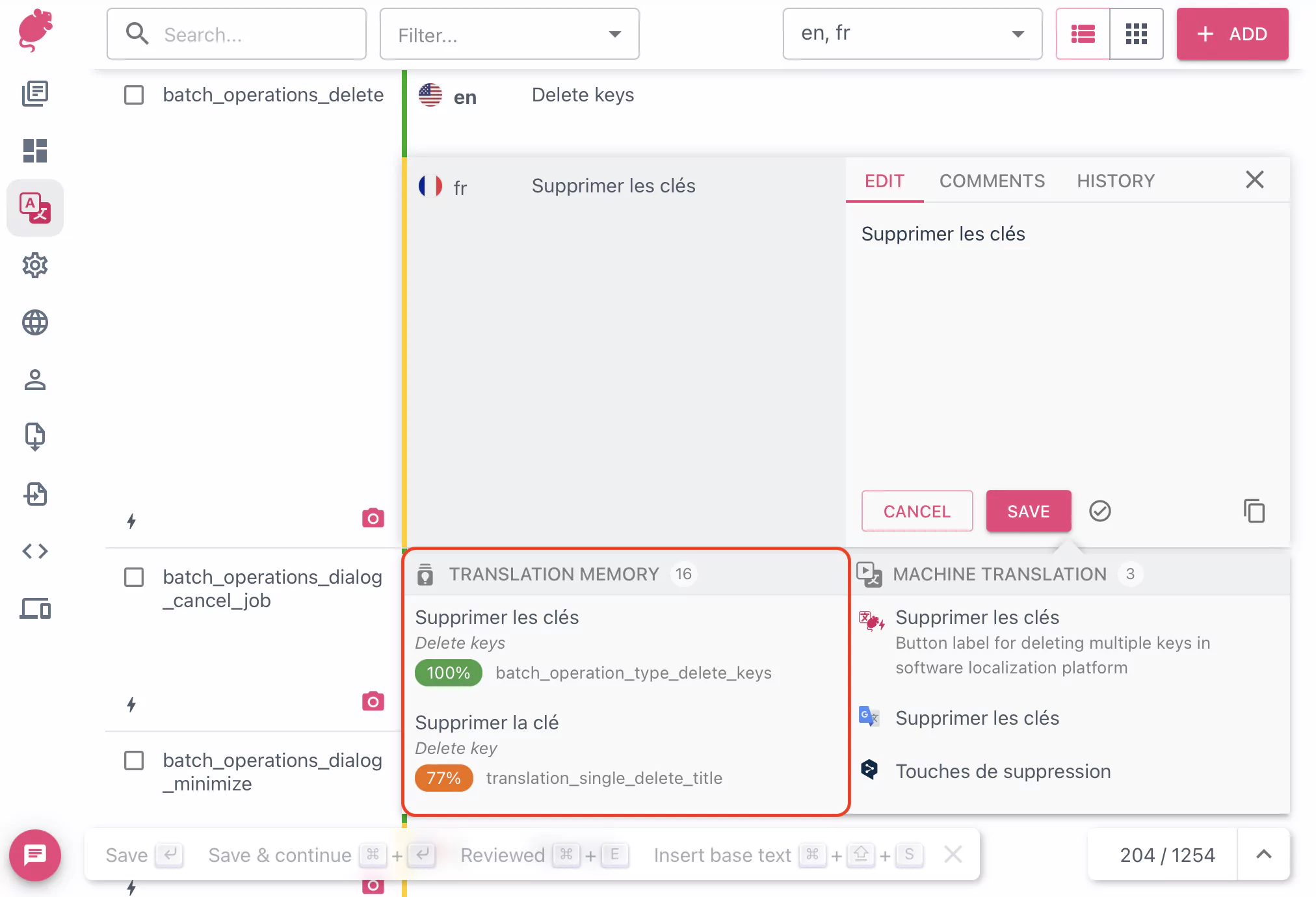
Matches appear in the editor as a ranked list. Matches below 50% similarity are not shown.
For each TM match, the panel shows:
- The translation in the target language
- The source text it was translated from
- A match-score pill, coloured by tier (high / medium / low) so strong matches stand out
- The translation memory name, the source key, and how long ago the entry was added
To insert a match into the editor, click the suggestion. To insert it as-is without picking up its formatting, hold a modifier as you click — see the editor's keyboard shortcut hints.
How matches are scored
Each candidate match is scored by similarity between its source text and the text being translated, then reduced by any penalty configured on the memory or its assignment. A penalty is useful when one memory is less authoritative than another — for example, a draft memory penalised by 20% will only beat a high-quality memory when its raw similarity is much higher.
When two matches end up with the same score, the memory's priority in the project's translation memory list breaks the tie. You can reorder memories from Project settings → Translation memory.
Where matches come from
Every project has a project-only memory that mirrors its own translations. Beyond that, an organization owner or maintainer can connect one or more shared memories to the project, each with its own read or write access and penalty. The editor merges results from every connected memory and shows the strongest matches first.
See Manage translation memories for how to create shared memories, import TMX files, and assign memories to projects.